
If you're looking to enable crypto payments in your online or in-person business, check out WalletConnect Pay, our all-in-one payments solution. Learn more in the WalletConnect Pay docs →
Deposit with Exchange gives your users a seamless way to fund their connected wallets directly from centralized exchange accounts like Binance. Instead of forcing users to leave your app, log into their exchange, and manually handle withdrawals, you can offer a guided in-app flow that keeps them engaged and ready to transact.
Quickstart#
This feature will start working as soon as your team is on the allowed-list. Contact us via our form here to get started.
Projects first need to install and set up Reown AppKit before integrating AppKit Pay. If you haven't done so, please refer to the Reown AppKit docs.
Clicking on Fund your wallet will show the modal below:
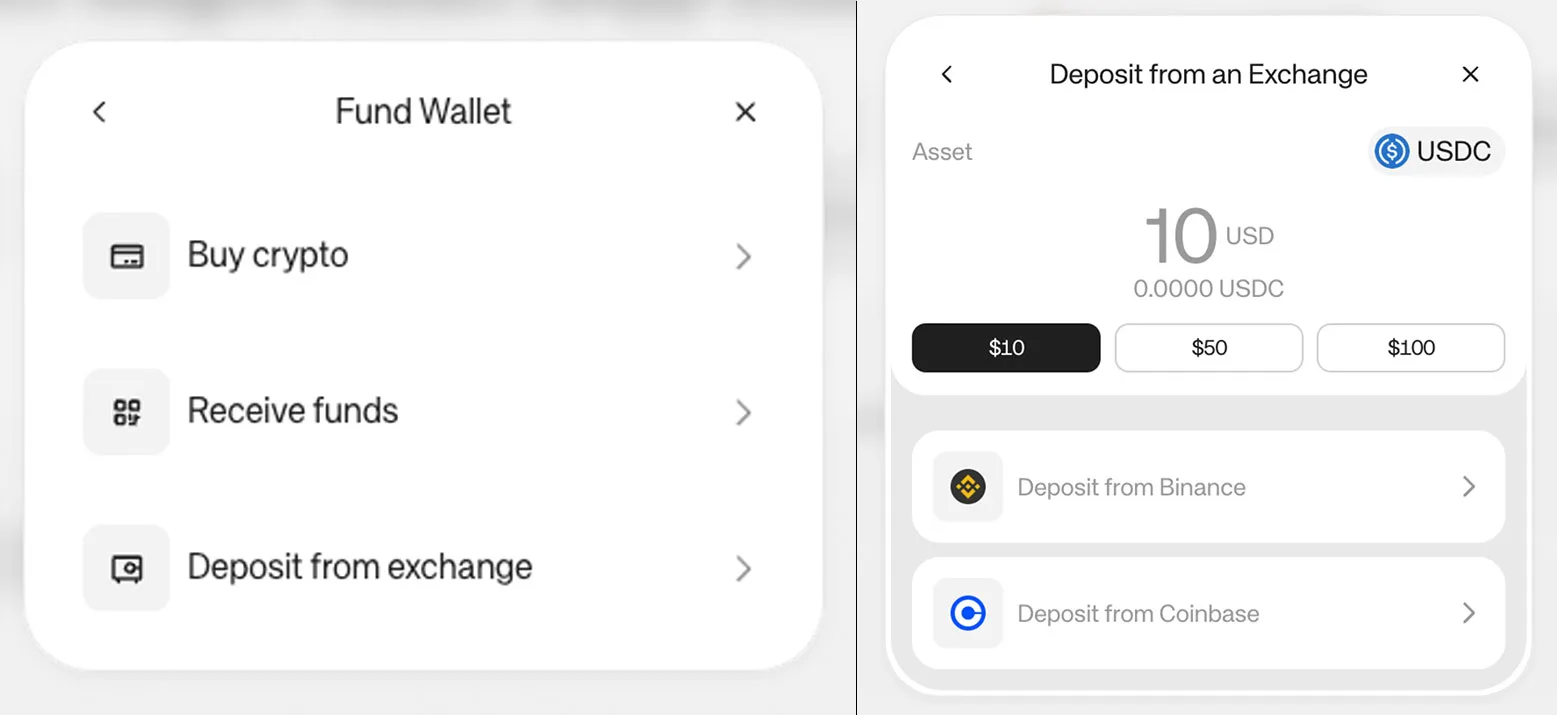
Start Deposit with Exchange from a button#
Install the library#
Usage#
Import the baseUSDC asset, the pay function and the useAppKitAccount hook to get the address of the connected wallet.
Get the address of the connected wallet using the subscribeAccount function.
In order to run the deposit, use the function pay. This function receives three parameters.
Supported Networks and Assets#
Currently, Deposit with Exchange supports the following assets on the following networks:
Asset -> Network
Binance
- USDC -> Ethereum, Optimism, Arbitrum, Base, Polygon, Solana
- USDT -> Ethereum, Optimism, Arbitrum, Polygon, Solana
- Native Solana
For access to additional networks or assets, contact us via our form here.
Assets Configuration#
For the moment, AppKit Pay has pre-configured these assets:
- baseETH, baseSepoliaETH, and baseUSDC
- ethereumUSDC, optimismUSDC, arbitrumUSDC, polygonUSDC and solanaUSDC
- ethereumUSDT, optimismUSDT, arbitrumUSDT, polygonUSDT and solanaUSDT
For custom assets, you can create a paymentAsset object with all the information: